Getting started with Land Filter
Four steps, about five minutes. Do them once and Land Filter does the sorting for you.
1 Start with the website's own filters
On realestate.com.au or domain.com.au, fill in as many of the site's search filters as you can: suburbs, price range, property type, bedrooms and land size.
The website narrows the list first, and Land Filter then checks only what's left. You get fewer listings to look at and fewer emails.
2 Add what the websites can't filter
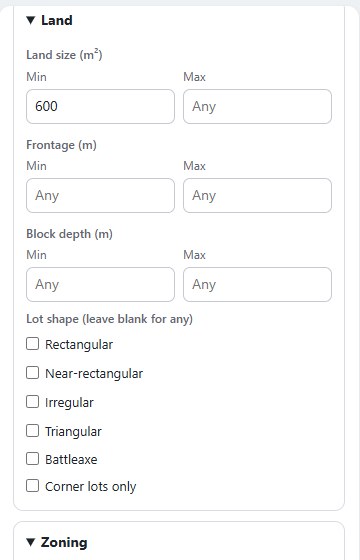
Click the Land Filter icon in your browser toolbar and open Buying criteria. Set the things the websites don't offer: frontage, block depth, lot shape, zoning, overlays to avoid, easements, price per m² of land and your feasibility numbers.
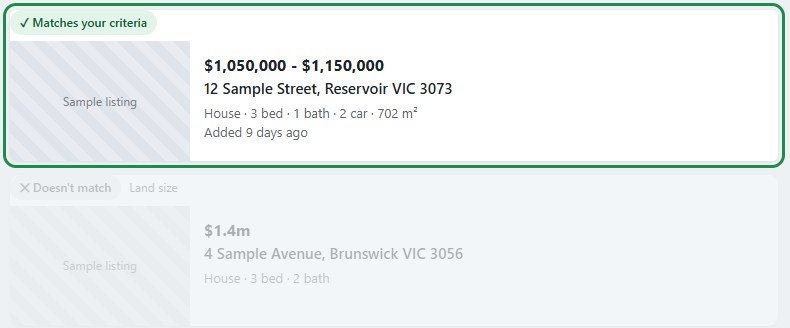
What you'll see: when you open a search results page, every listing gets a badge.
- Green: matches your criteria
- Amber: needs a look (some information isn't available)
- Grey: doesn't match
Click a badge to see why.
3 Get alerts through your Land Filter email address
This is the best way to use Land Filter. Instead of searching every day, let the websites email Land Filter. Land Filter checks every listing and emails you only the ones that match your criteria and pass your feasibility.
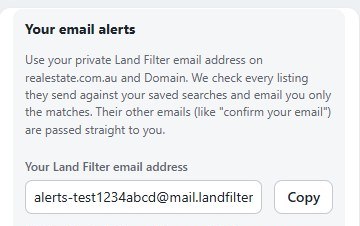
- In Land Filter, open the Account tab and click Copy next to your Land Filter email address.
- On realestate.com.au and domain.com.au, sign up with that address. If you already have an account there, change its email to that address in the site's account settings. Each site sends a "confirm your email" message, which Land Filter passes straight to your normal inbox. Click the link in it.
- On each site, set the filters from step 1, click Save search and turn on email alerts, as often as the site allows.
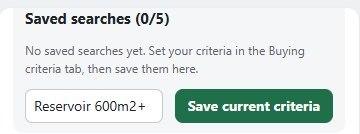
- Back in Land Filter's Account tab, name your criteria and click Save current criteria. Keep Email alerts ticked. You can save up to 5 searches.
4 A quiet inbox is good news
Land Filter checks every alert email the websites send, usually each day, and only emails you the listings that pass.
To see more matches, loosen your criteria in Land Filter or widen the website's saved search.
Stuck? Email [email protected] and we'll set it up with you, free.